
One-page or multi-page website: which do you need?
Short answer: if you do one main thing and customers mostly need to find you and get in touch, one page will do. If you sell online, take bookings on the site, or offer several services that each need explaining, you’ll want more.
Find yourself in this table
| Your situation | What usually fits | Why |
|---|---|---|
| You do one main thing. | One page | Everything a customer needs fits in one scroll: what you do, why they should trust you, how to reach you. |
| You offer a few services, and each takes a sentence or two to explain. | One page | Give each one a short section. Nobody has to click around to compare. |
| Each service needs its own explanation, prices or photos. | Several pages | Give each its own page and it gets the room it needs, without burying the rest. |
| You want to sell products and take payment on the site. | A shop | Carts, payments and stock are a different job from a page of words and pictures. |
| You want customers to book a time on the site itself. | A bigger build | A live calendar is a system someone has to set up and look after. To start with, a phone number or a booking link on one page may do. |
| You plan to post articles or news regularly. | Several pages | Every article needs a page and an address of its own. |
When one page is enough
Picture someone landing on your website. If they’ve come with one question (is this the right business, and how do I get hold of them?), one page is plenty. It suits you if:
- you can say what you do in a few short sections;
- customers ring, email or walk in;
- a handful of photos shows your work;
- you’d rather run your business than update a website.
When more pages help
More pages earn their keep when they pull apart topics that would otherwise crowd each other. Each page gets its own title and address, so a link or a search can drop someone right on the thing they asked about.
When more pages only add work
Every page is a promise to keep it up to date. A news page last touched two years ago, or five service pages with a sentence each, looks worse than one page that’s current. Can’t say what a new page would hold that the main page can’t? You don’t need it yet.
Three one-page examples
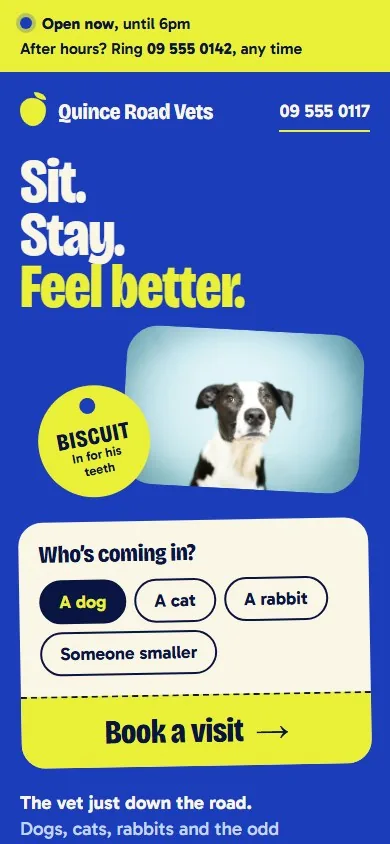
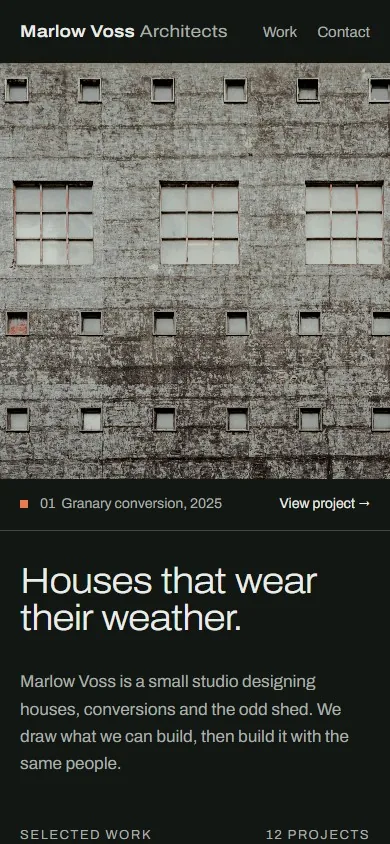
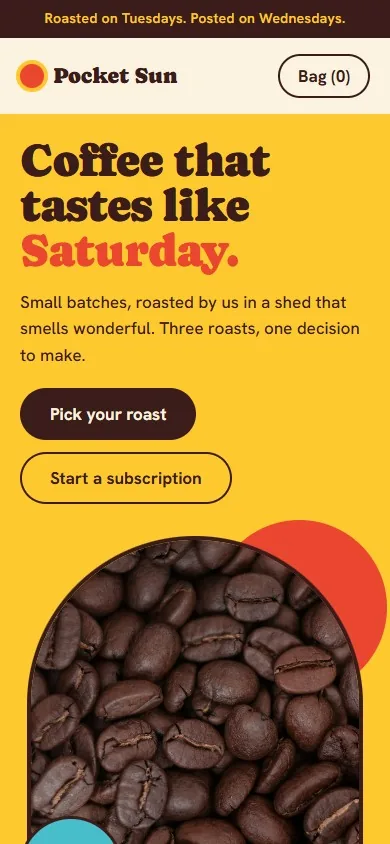
We designed these three websites for businesses we made up. None is a real business or a client. Each shows how much one page can carry, and the point where it would need more.
You can start with one page
Starting small doesn’t lock you in. The words, photos and web address you gather for one page are the same ones a bigger website would need. Just know that going from one page to several is a new piece of work, not a switch you flip.
What this guide can’t tell you
This is a rule of thumb. It doesn’t know your customers; you do. Still unsure? Write down the three questions customers ask you most. If one page can answer them, start there.
Where Kiteleo fits
We design and build one-page websites for free, with hosting free for the first year. What a free website costs has the detail. Anything bigger, we quote. When you apply, pick “A free one-page website” or “Something bigger, by quote”.
Next: what to prepare before someone builds your website, or all guides.
Apply now